
Plugin „Shrinking Logo Sticky Header“ – now: „Dynamic Header & Navigation for Block Themes“
‘Dynamic Header & Navigation for Block Themes’ (previous name: “Shrinking Logo Sticky Header”) is a lightweight WordPress plugin designed specifically for block themes.

Update
5.1.2026: Over the weekend, I released a new version (1.5) of my plugin ‘Dynamic Header & Navigation for Block Themes’. I finally managed to solve an issue: when I scrolled almost all the way to the top of a website using the plugin, flickering could occur. That has now been fixed.
There is now also an option for a live preview (blueprint) on wordpress.org with the plugin.
https://wordpress.org/plugins/shrinking-logo-sticky-header/
1.5: January 4, 2026
- Fix: Flickering in header when scrolling up in most cases completely prevented (Code improvements)
- Fix: Language Files corrected – prevent direct access
- Plugin Check: No errors, no warnings
1.4.1: November 20, 2025
- Added Option: Menu does not appear as sticky on mobile devices – may be better for accessibility reasons
- Fix: ID in form field corrected
- Tested up to WordPress 6.9
New Options in Version 1.4.x
- Added: Option for disable inner spacing (padding) in header
- Added: Option to enable Text below mobile Icon and display larger mobile menu Icon (Hamburger) – better for accessibility reasons
- Enhancement: Height and width of mobile icon (SVG) changed to 44px (AAA) when the above option is used
- Added: Option to Label Text below mobile Icon
- Enhancements: Explanations and Design in the settings cleaned up
- Option: Menu does not appear as sticky on mobile devices – may be better for accessibility reasons (added in Version 1.4.1)
You can already view version 1.4 of the Plugin at https://space4.yd-sgs.de/ and of course here on haurand.com.

New Options in Version 1.3
= 1.3.2: August 1, 2025 =
- Fix: Anchors are now controlled at the correct height.
- Enhancements: Various CSS rules optimised (better support for various block themes for example Ollie)
= 1.3.1: July 11, 2025 =
- Added: Option for the speed of the off-canvas fade-in
- Added: Show Version of the Plugin in Settings (header)
= 1.3: June 22, 2025 =
- Added: Optional setting of background Color for Header
- Added: Optional setting to move the shrunk logo to the left
- Added: Notice for review
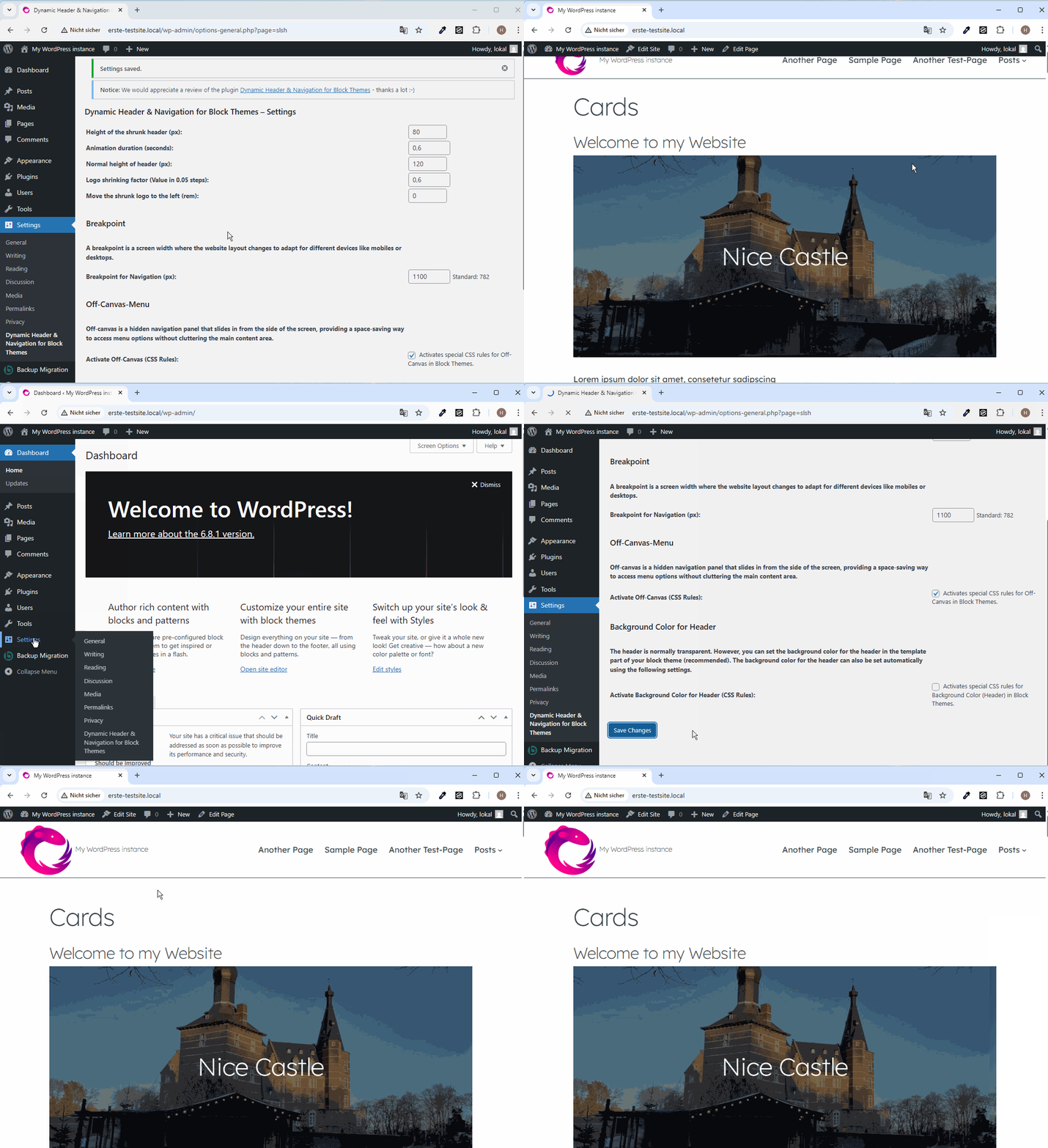
Now it is possible to move the logo to the left. In CSS, rem is a relative unit that sets the size of an element based on the font size of the root (html) element, ensuring consistent scaling across the entire webpage.
Previously, depending on the header structure, the logo may have been moved too far to the right, especially in mobile displays, due to the shrinkage factor. This can now be corrected with the new setting in version 1.3. To do this, you can use increments of 0.1 steps (rem) to move the logo to the left. An example of this can be seen in the following video:
In addition, you can now also activate the background colour for the header provided by the Block Theme. However, it is recommended to set the background colour for the header using the website editor:
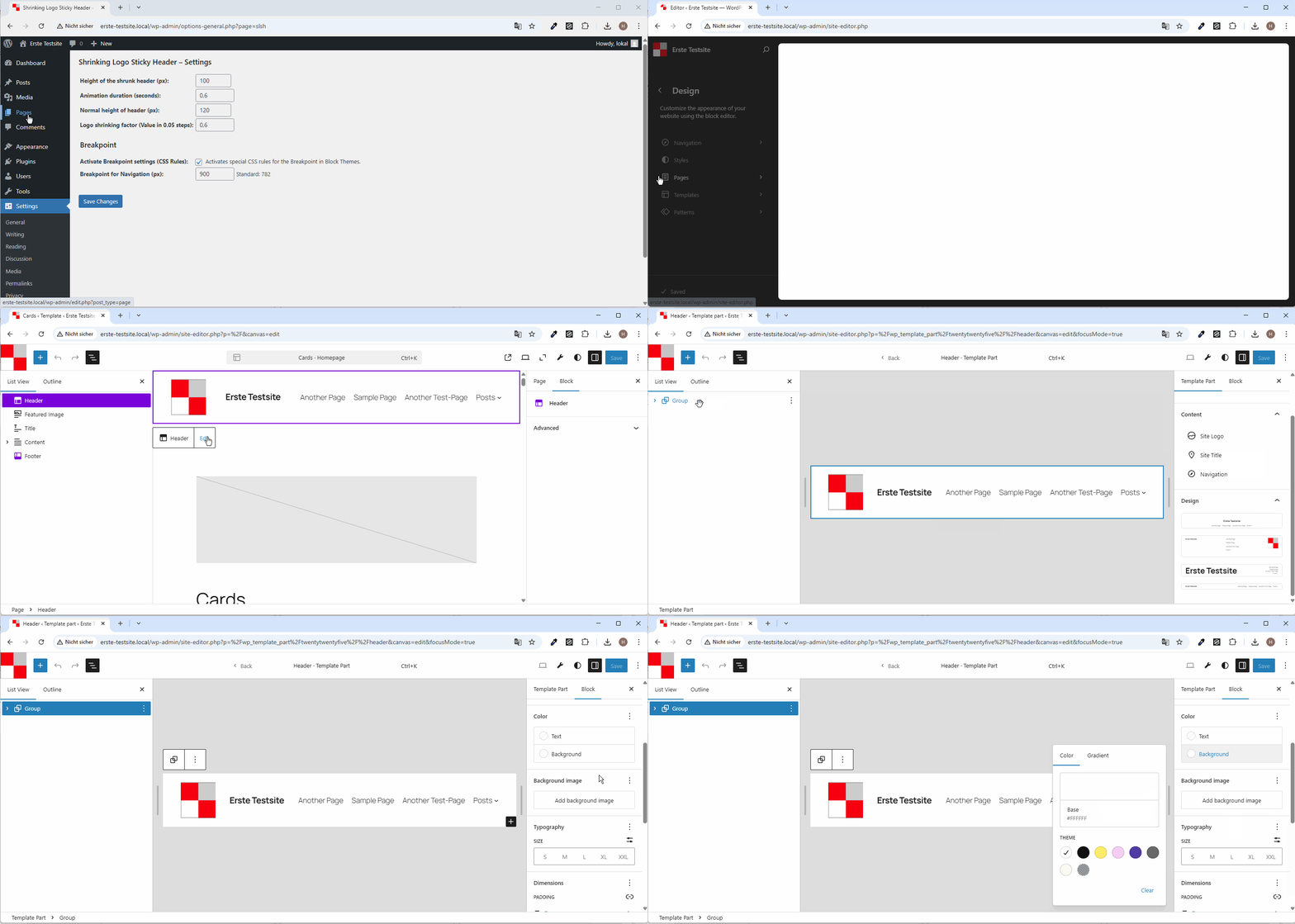
Options of the plugin (version 1.3)
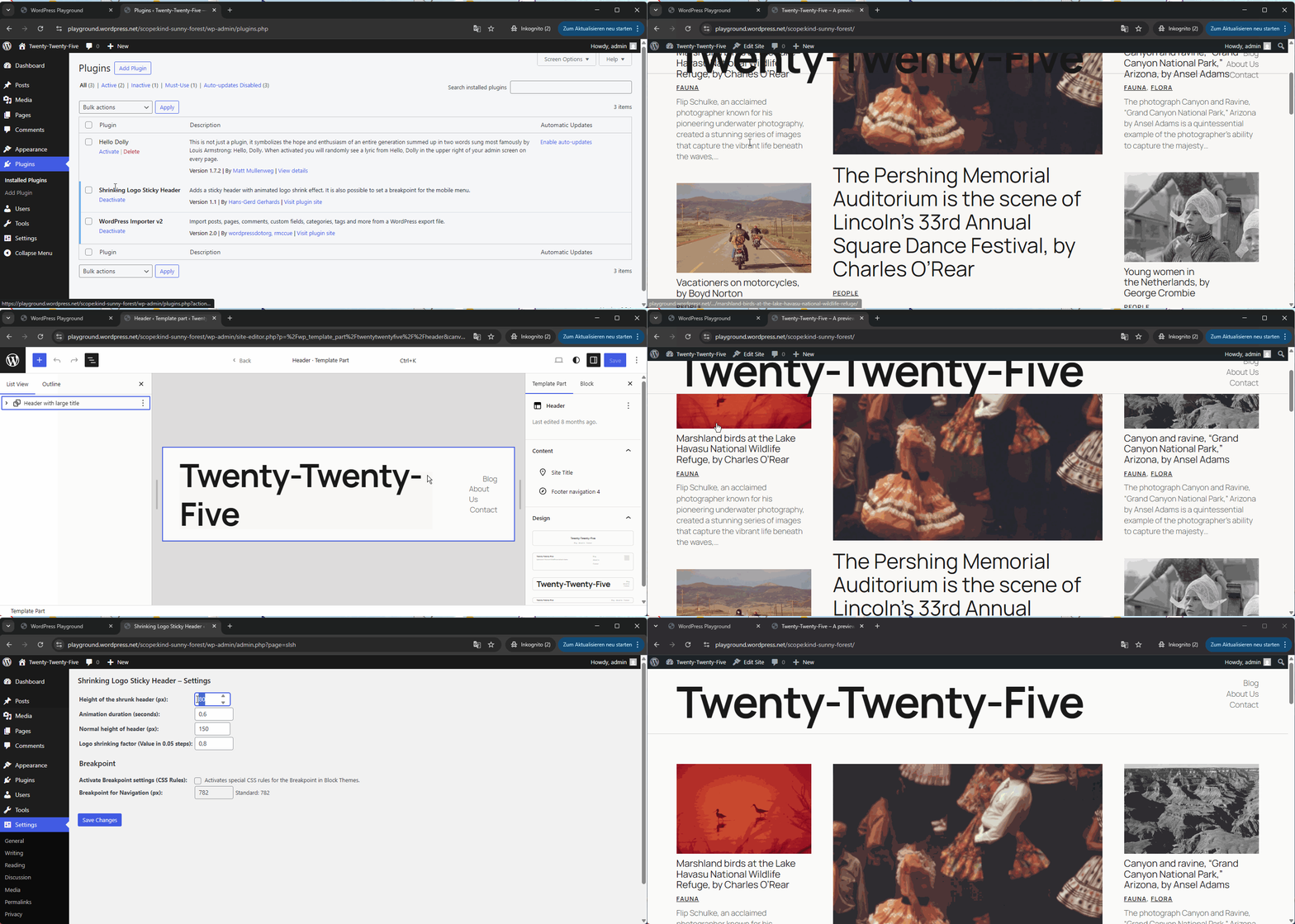
The plugin allows you to individually configure the heights for the header and logo in both their normal and shrunken states, giving you full control over your site’s appearance.
These settings can be easily adjusted to match your branding or design preferences.
One of the key advantages of the plugin is its simplicity:
Once activated, the sticky and shrinking effects work immediately with almost all block themes – no additional setup or configuration is required.
This makes it ideal for users who want a professional, dynamic header effect without dealing with complex options or custom code.
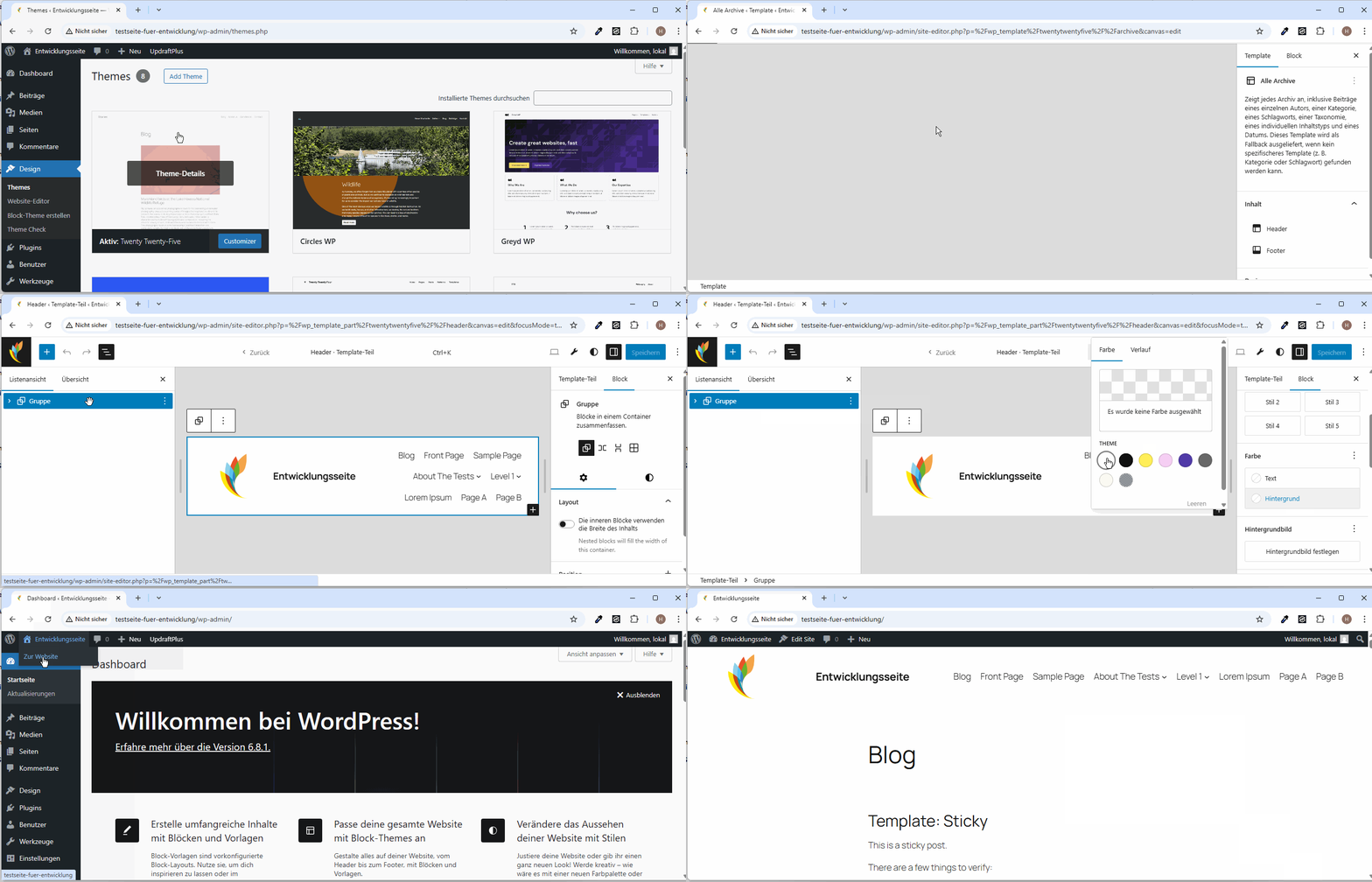
Change the background colour of the header
However, it is necessary that you change the background colour of the navigation in your block theme via the block editor to white, for example, because otherwise the header is transparent by default in most cases.
I show how this works in the following short video:
We use the Circles WP theme with the plugin on this website. The Twenty Twenty-Three theme is also used with the plugin on another website. Further websites will follow shortly (including Twenty Twenty-Five). I have already tested this with Twenty Twenty-Five and Twenty Twenty-Four.
New Options in Version 1.2
In version 1.2, I have added an option for off-canvas menus: An off-canvas menu is a hidden navigation panel that pops up from the side of the screen from the right, allowing space-saving access to menu options without cluttering the main content area.
You can already see this option in the mobile menu on the following presentation page with the Circles WP theme and here on haurand.com when you open the mobile menu.
Because the name ‘Shrinking Logo Sticky Header’ for the plugin no longer reflects the scope of the options, I have changed the name in version 1.2. So don’t be surprised.
I am happy to receive feedback.
Option for Breakpoint Setting in Version 1.1
In version 1.1, I have also included an option for setting the breakpoint for the mobile menu.
A German translation is already available for this plugin.
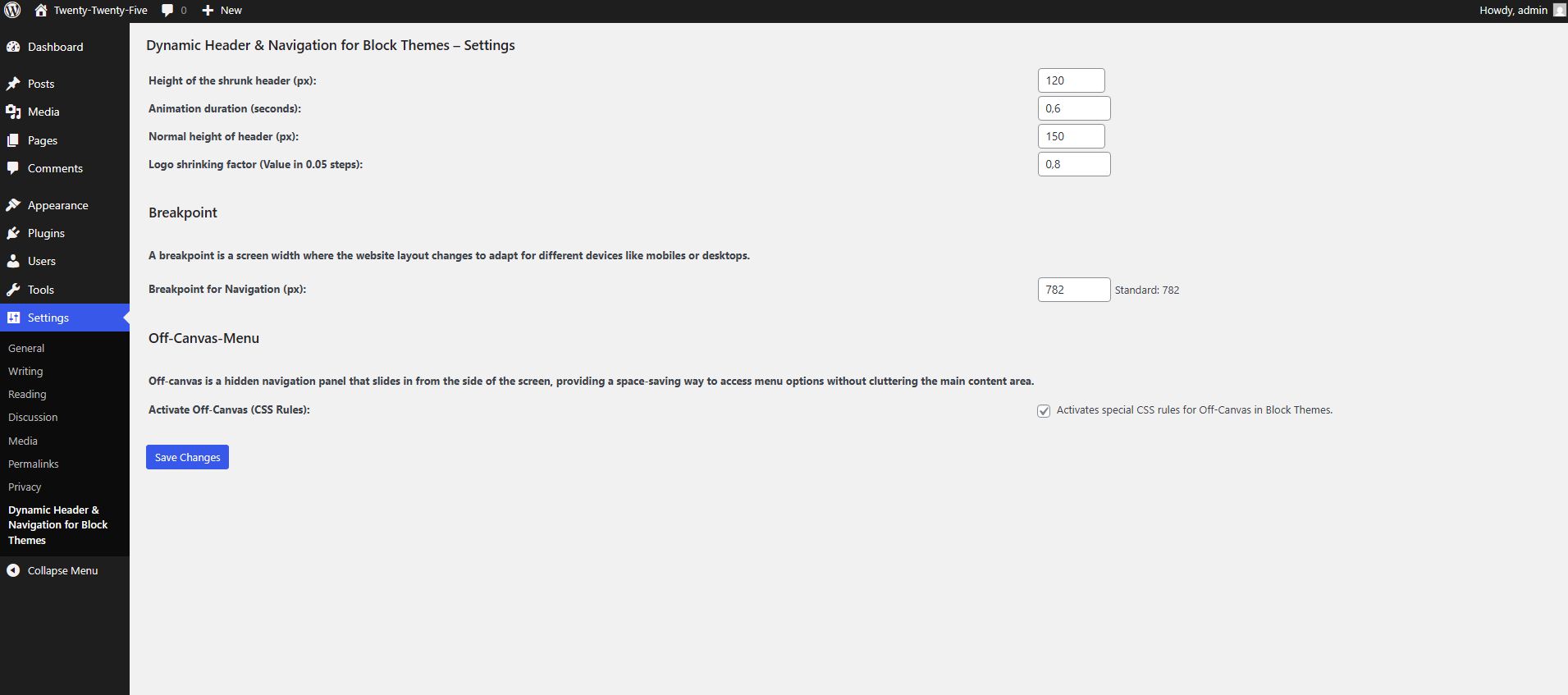
In this short video, I show which adjustments and settings can be made when using the plugin. It is also important to set the background colour for the header, otherwise the background will be transparent when scrolling down. In this example, I have chosen white as the background colour.
Deactivate sticky header or set to specified value
The plugin can also be used with options such as off-canvas and a set breakpoint if, for example, you do not want to have a sticky header. To apply the setting from the template part header set via the website editor, the following CSS rule under custom CSS is sufficient:
header.wp-block-template-part {
    position: inherit;
}
Website-Title using theme twenty twenty-four
If you are using the Twenty Twenty-Four theme, the website title may appear too high up. You can prevent this by using the following code under Custom CSS:
header.wp-block-template-part .wp-block-group {
    align-content: space-around;
}
Example with two menus on special pages
- I created a template based on Pages with a second menu below.
- I assigned this template to the corresponding pages in the second menu.

Mentions of the plugin
- https://gutenbergtimes.com/block-themes-icon-block-and-ai-weekend-edition-356/:
„Hans-Gerd Gerhards released version 1.5 of his Dynamic Header & Navigation for Block Themes plugin in January, fixing an annoying header flicker when scrolling back near the top of a page. You can now try the plugin instantly via a Live Preview directly from the WordPress plugin directory.“ - https://wp-content.co/newsletter/archive/221/
„The plugin created by Hans-Gerd Gerhards adds a modern sticky header with smooth, animated shrinking effects for both the header and the site logo.“ - https://thewpweekly.com/issue-244/
„Shrinking Logo Sticky… Hans-Gerd Gerhards has released a free Dynamic Header & Navigation plugin for block themes, which provides options to set the Logo shrinking factor, height for the header, and the shrinking header.“ - https://gutenbergtimes.com/14-plugins-for-the-block-editor-gutenberg-20-8-studio-1-15-1-woo-9-9-and-more-weekend-edition-330/
„The plugin lets you “add a modern sticky header with smooth, animated shrinking effects for both the header and the site logo.” You have full control over the heights for default and shrunken states and also use your site’s colors for styling. The post also entails the link for downloads videos and screenshots. The plugin in in the approval queue for the WordPress directory.“ - https://www.painelwp.com.br/newsletter-wordpress-edicao-315/:
„Hey, thanks for creating the „Dynamic Header & Navigation for Block Themes“ plugin, it’s awesome! I wrote about it in my weekly newsletter in portuguese called PainelWP.„ - https://gutenbergtimes.com/roadmap-for-wordpress-6-9-block-bindings-mega-menus-and-more-weekend-edition-336/
„Hans-Gerd Gerhards also works on improving the navigation block with his plugin Dynamic Header & Navigation for Block Themes.“ - https://wp-rankings.com/plugins/shrinking-logo-sticky-header/
Thanks
- @threadi for coding enhancements
- @apermo for hints
- @wpgerd for testing
- @patriciabt und @laboiteare for french translations
Change Log Dynamic Header & Navigation for Block Themes
Change Log
== Changelog ==

= 1.4: September 10, 2025 =
* Added: Option for disable inner spacing (padding) in header
* Added: Option to enable Text <Menu> below mobile Icon and display larger mobile menu Icon (Hamburger) - better for accessibility reasons
* Enhancement: Height and width of mobile icon (SVG) changed to 44px (AAA) when the above option is used
* Added: Option to Label Text <Menu> below mobile Icon
* Enhancements: Explanations and Design in the settings cleaned up

= 1.3.2: August 1, 2025 =
* Fix: Anchors are now controlled at the correct height.
* Enhancements: Various CSS rules optimised (better support for various block themes for example Ollie)

= 1.3.1: July 11, 2025 =
* Added: Option for the speed of the off-canvas fade-in
* Added: Show Version of the Plugin in Settings (header)

= 1.3: June 22, 2025 =
* Added: Optional setting of background Color for Header
* Added: Optional setting to move the shrunk logo to the left
* Added: Notice for review

= 1.2: May 22, 2025 =
* Added: Optional Off-Canvas-Menu
* Added: Uninstall: Delete the Options in Table when unistalling this Plugin
* Renaming the Plugin: "Dynamic Header & Navigation for Block Themes" instead of previous name of the plugin: "Shrinking Logo Sticky Header"
* Updating the language files
* Fix: Loading language Files Notice: "This plugin is not properly prepared for localization."
* Enhancements: Code improvement (Delete superfluous option)

= 1.1: May 9, 2025 =
* Added: Optional Breakpoint settings
* Enhancements: Code improvement

= 1.0: May 1, 2025 =
* Enhancement: Security (Additional escaping of the values)
* Enhancement: Rename the text domain due to Internationalize this plugin
* Check with Plugin Check: "Check completed. No errors were found."

= 0.4.4: April 26, 2025 =
* Enhancement: Optimize CSS

= 0.4.3: April 26, 2025 =
* Added: Option for Logo shrinking factor (Value in 0.05 steps)
* Enhancement: CSS optimised

= 0.4.2: April 26, 2025 =
* Added: Translation option and Translation files in language folder
* Added: Option for Header Height

= 0.4.1: April 25, 2025 =
* Fix: Issue with inner group

= 0.4: April 25, 2025 =
* Added Settings in Backend for Heigth of Header/Logo, Animation duration

= 0.3: April 24, 2025 =
* Optimized shrinking effect

= 0.1: April 24, 2025 =
* Birthday of shrinking Logo Sticky Header